.: EMICROS :.  Embedded Micro Software
Home CAN232 CANUSB I2C232 I2CUSB CanWiser Learn C
Add your text here
Contact

Email : info@emicros.com

Ordering Information

.: Ordering using our PayPal powered shopping cart (PayPal account not required).

CAN232 : $79
CANUSB : $89
I2C232 : $79

I2CUSB : $89

Click here to View Cart and check out.


Now we're ready to update the main() function to actually send the string Hello World! out the serial port to the PC.

The first statement added to the main.c file is char sstr[40]. This declares an area in RAM where we can store the string that we want to send. It is delared type char (character) and is an array of 40 elements. The square brackets with the value in it denotes sstr as an array.

Next, the serial port needs initialization and the statement SetupCommPort( BAUD9600 ) does this.

The statement strcpy( sstr, "Hello World!" ); uses the library function strcpy (string copy) to copy the "Hello World!" character string into the sstr character array.

char sstr[40];
void
main( void )
{
   init();
   counter = 0;
   TRISC &= ~BIT2;
   SetupCommPort( BAUD9600 );
   strcpy( sstr, "Hello World!");
   CommPortSendString( sstr );
   while( 1 )
   {
      PORTC = 0b00000100;
      delay_msec( 50 );
      PORTC = 0b00000000;
      delay_msec( 50 );
   }
}

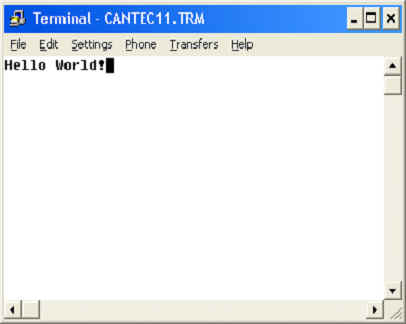
Finally, the CommPortSendString( sstr ); statement send the string out the serial port. Update the main.c file and give this a try. One more thing. The strcpy() library function is prototyped in the string.h file so make sure to add #include <string.h> to the top on main.c. Download this program to PicWiser and run the Terminal.exe program with a 9600 baud rate setting and you should see the following.


Copyright 2010 Embedded Micro Software. All rights reserved